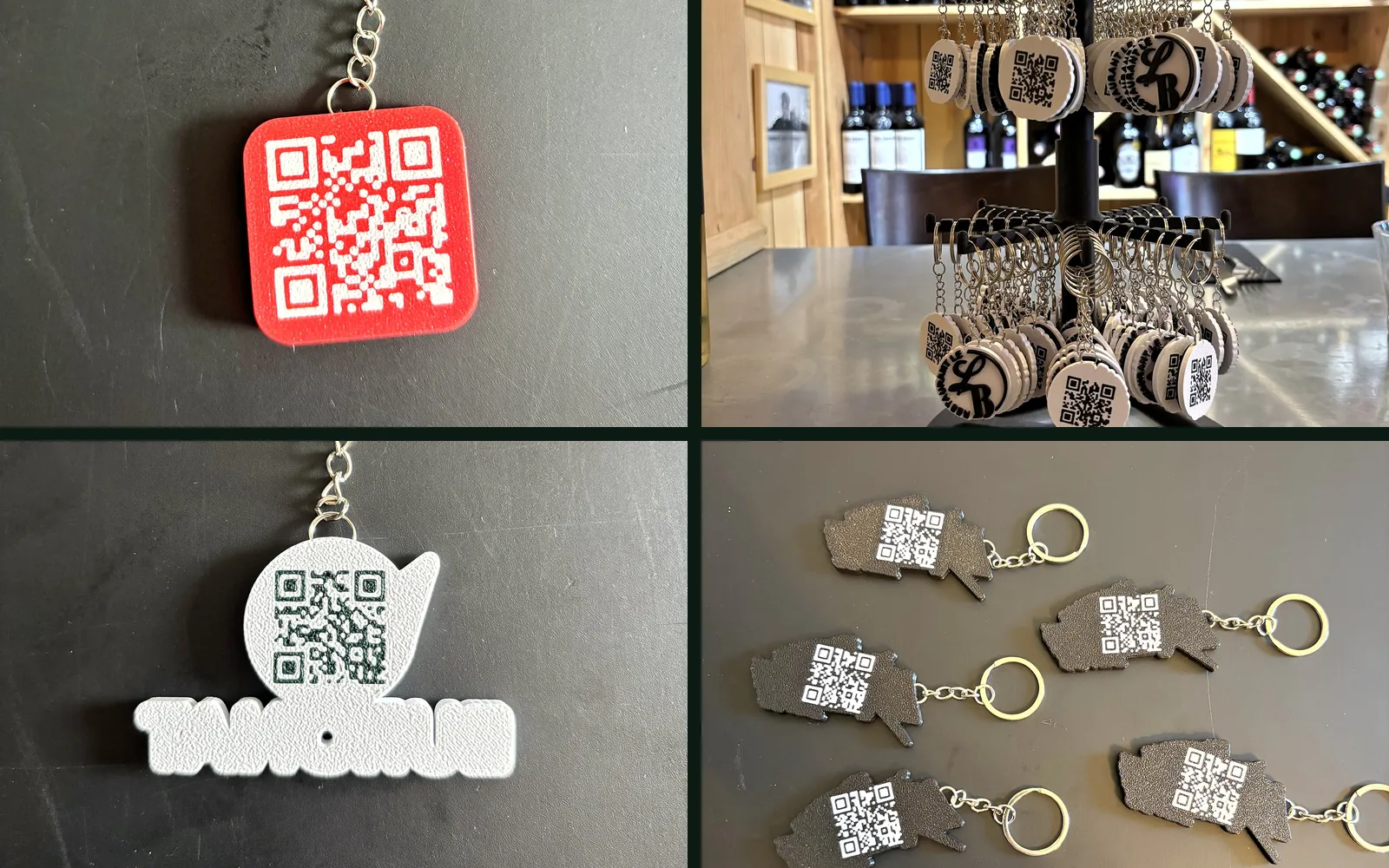
Most of the keyrings we print have a QR code on the back. It is easy to add, but once printed it cannot be changed, and it will stay in people’s pockets for years. Before handing over a link, it is worth knowing where it should lead, and what it will have become in three years.
It works with any phone
Recent phones read a QR code with the camera, with no app to install. The customer points at the back of the keyring, a link appears, they tap it. That is what makes the object useful: there is nothing to explain.
Destinations that work
Your Google reviews page. In your business profile, Google provides a link that opens the review form directly, with the stars. That is what CPC Formation chose, a first aid training company in Savoie: at the end of a course, the trainee scans and leaves a review without searching. Reviews count for a lot in local searches, and a happy customer who doesn’t leave one often just didn’t want to look for where.
A specific page on your site. Not the home page, the page that is useful: a restaurant’s menu, a rental’s availability, a shop’s opening hours. Whoever scans has a question in mind, and the page has to answer it straight away.
Your social media. Facebook or Instagram, if that is really where you post. A page that has not moved in two years does more harm than good.
What we advise against. QR codes that directly contain a contact card or a Wi-Fi password. All the information is stored in the pattern of the code: it becomes dense, so hard to read on a small piece, and it is wrong as soon as you change your number or your password.
The trap: the link that changes
A keyring lives for years. Your Facebook page can change address, your PDF menu can vanish in a website redesign, a booking platform can shut down. The QR code will still point to the old address.
The fix is simple: point the code to an address on your own website, such as yoursite.com/reviews or yoursite.com/menu, which redirects to the real destination. When the destination changes, you update the redirect, and the hundreds of keyrings already handed out keep working. A dedicated address has another advantage: your website’s statistics show how many people scanned.
Beware of the free “dynamic” QR code generators you find online. The code goes through their server, and some cut the redirect when the free trial ends. The keyrings then lead nowhere, and there is nothing you can do about it.
No website? Pick the most stable link you can. The Google review link from your profile does not change, for example.
A readable code on a piece a few centimetres wide
On a keyring, the QR code is a few centimetres across. Two settings make the difference.
A short address. The longer the address, the more little squares the code contains, and the smaller each square is. yoursite.com/reviews gives a far more readable code than a 120-character address with tracking parameters on the end.
Contrast. A light code on a dark background, as on our black pieces, or dark on light: phones read both, provided the gap between the two colours is clear. Gitem Soulac has a white code on red, eXtreme Jet 33 a white code on black.
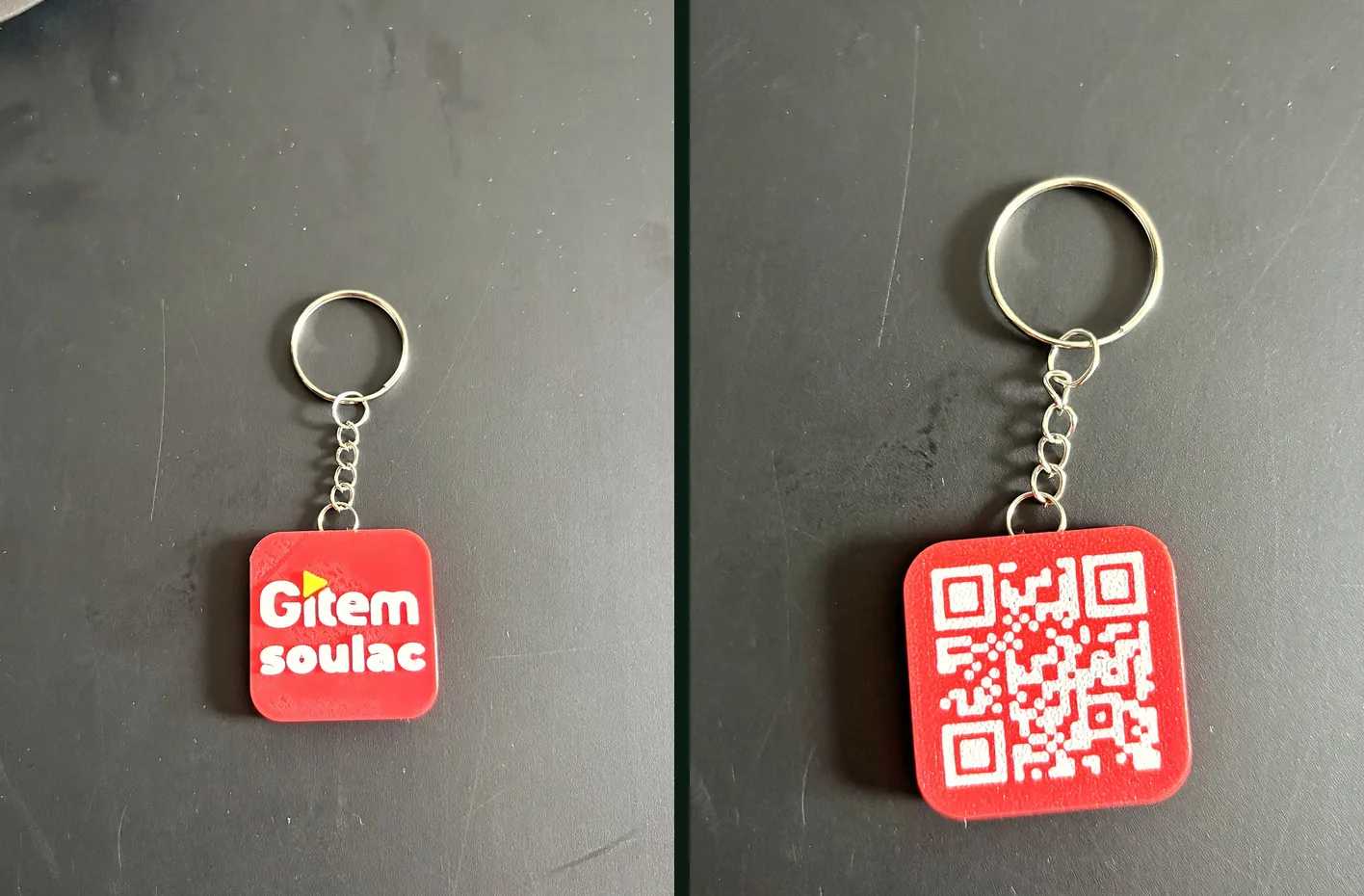
A trick we use on our own codes: write the address entirely in capitals (HTTPS://YOURSITE.COM). A QR code has a more compact mode reserved for capitals and digits, and the resulting code has bigger squares. The domain name does not care about capitals, but the rest of the address does not always agree: we only do it if the page opens just as well in capitals.
How it works with us
When you order, we ask for the link. If you are unsure, we talk it through: that is often when we suggest the dedicated address on your site. The QR code is printed on the back, in a single colour, and you see it on the mockup before any production.
Keyrings are ordered from 50 pieces, at €3.50 each, and the price drops with quantity. Everything is on the custom keyrings page, and more ideas are in 3D printed giveaways, ideas taken from real orders.
Frequently asked questions
- Do you need an app to scan the QR code on a keyring?
- No. Recent phones, iPhone and Android alike, read a QR code straight from the camera. You point, a link appears, you tap it.
- Can you change where a printed QR code leads?
- The code itself cannot change once printed. To stay in control, point it to an address on your own website (for example yoursite.com/reviews) that redirects to the real destination. When the destination changes, you update the redirect and the keyrings keep working.
- Where should a QR code point to collect Google reviews?
- To the direct link to the review form, which Google provides in your business profile (the "Ask for reviews" button). The customer lands straight on the stars, without having to look for your listing.
Want custom, eco-friendly giveaways?
Keyrings, giveaways, bespoke objects in bio-sourced PLA, made in the Médoc.
See our 3D products